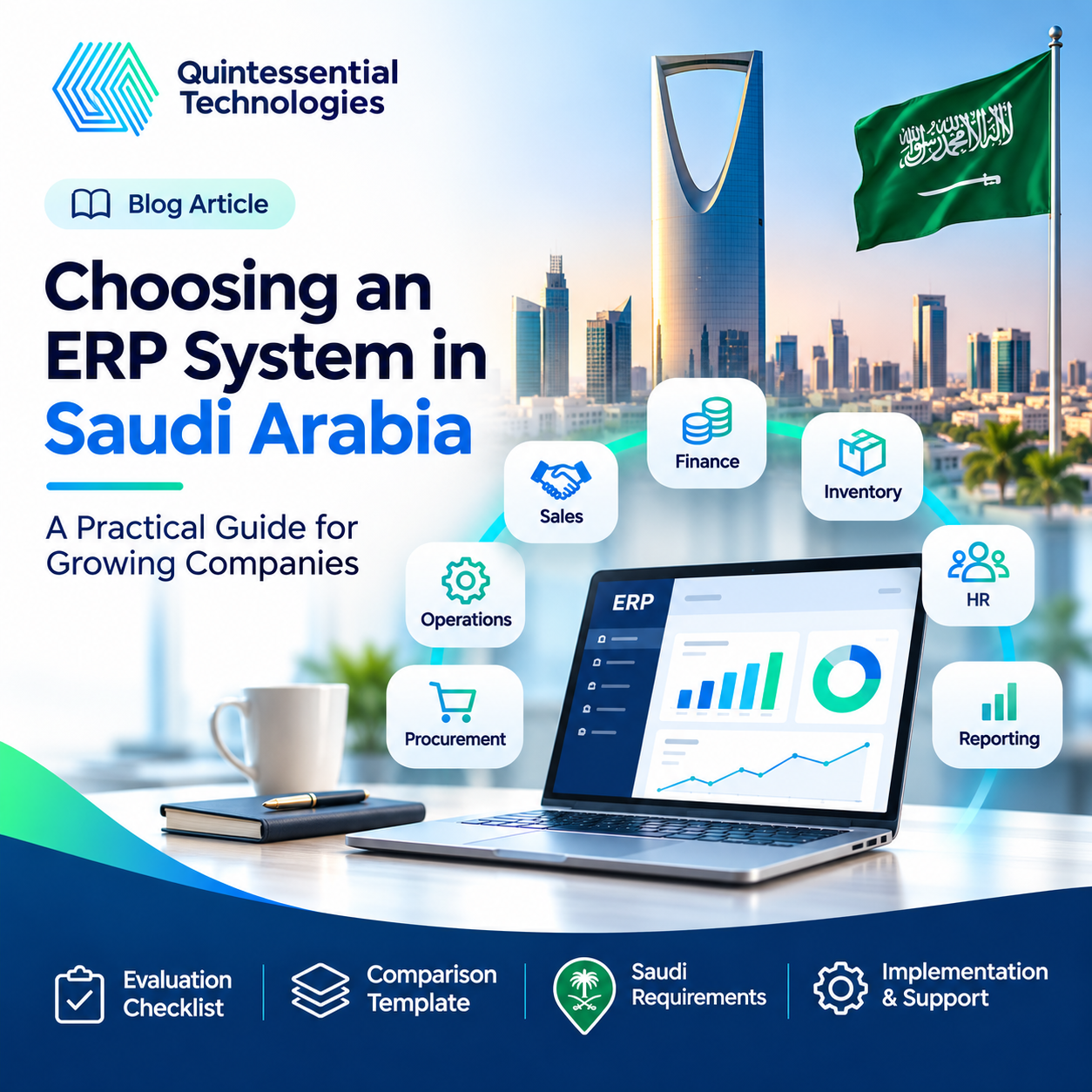
Choosing the right Enterprise Resource Planning (ERP) system is one of the most important technology decisions a growing company can make.
For businesses operating in Saudi Arabia, ERP software can help connect financial management, purchasing, inventory, sales, operations, and reporting within a more structured business environment.
However, selecting the wrong system can create unnecessary costs, operational disruption, employee frustration, and integration challenges.
The best ERP system is not necessarily the platform with the most features, the biggest brand name, or the lowest subscription price.
The right ERP system is the one that fits your business processes, people, compliance needs, and long-term growth strategy.
As companies expand across Riyadh, Jeddah, Dammam, and other Saudi markets, disconnected applications and manual workflows can become increasingly difficult to manage.
Finance teams may use one application, warehouse teams another, and sales departments a collection of spreadsheets and messaging tools. Management may then struggle to access consistent information or make timely decisions.
A well-planned ERP implementation can help address these challenges by connecting business activities and improving operational visibility.
But how do you identify the right system?
In this practical guide, Quintessential Technologies explains how to evaluate ERP software in Saudi Arabia, understand important local requirements, compare software options, control implementation costs, and select an ERP implementation partner capable of supporting your business objectives.
1. What Is an ERP System?
Enterprise Resource Planning, commonly known as ERP, is a business management solution that integrates important operational processes and information.
Instead of maintaining separate applications for finance, purchasing, inventory, sales orders, and other functions, an ERP platform can help these departments work with connected information.
The exact capabilities vary depending on the software and modules selected.
Common ERP Modules
Financial Management
Supports general ledger, accounts payable, accounts receivable, budgeting, financial reporting, and related accounting functions.
Inventory Management
Helps monitor stock levels, product movements, warehouses, and inventory availability.
Procurement
Supports supplier information, purchase requests, purchase orders, approvals, and purchasing workflows.
Sales and Order Management
Connects quotations, customer orders, deliveries, and invoicing, depending on the implementation.
Human Resources
Some ERP platforms include employee records, attendance, payroll-related capabilities, and administrative workflows.
Manufacturing and Operations
Industry-specific ERP products may support production planning, bills of materials, manufacturing activities, and resource management.
Business Intelligence and Reporting
Provides dashboards and reports that help managers understand operational and financial performance.
An ERP system can create a more consistent foundation for managing business information, but successful implementation requires more than installing software.
Business processes must be reviewed, data must be prepared, and employees must understand how to use the platform effectively.
2. Why Growing Companies in Saudi Arabia Consider ERP Software
Business growth creates new opportunities, but it also increases operational complexity.
A small organization may initially manage its activities using accounting software, spreadsheets, email, and manual approval processes.
As the company expands, these tools may become difficult to coordinate.
For example, a trading company with multiple warehouses might struggle to maintain accurate stock records across locations.
A service company could face delays because project information, customer records, and invoices are maintained in different systems.
A manufacturing business might find it difficult to connect production planning with procurement and inventory availability.
These challenges are not always caused by employees or individual departments.
Often, the problem is that information and workflows are not properly connected.
Common Signs Your Business May Need ERP
- Employees repeatedly enter the same information into different applications.
- Financial reporting requires extensive manual preparation.
- Inventory records are inconsistent across departments.
- Purchase approvals are delayed by emails and messages.
- Management lacks a clear view of operational performance.
- Teams struggle to coordinate orders, deliveries, and invoicing.
- Existing systems are becoming difficult to maintain or integrate.
- Business expansion is creating additional administrative work.
If several of these issues are affecting your organization, reviewing ERP solutions in Saudi Arabia may be a sensible next step.
However, implementing an ERP system should not be the automatic response to every operational problem.
Sometimes an existing application can be configured more effectively, or individual systems can be integrated without replacing the entire technology environment.
A business technology assessment can help determine whether a new ERP system is required.
3. Start with Business Requirements, Not Software Brands
One of the most common mistakes in ERP selection is choosing a product before clearly understanding the organization’s requirements.
A management team may select a well-known system based on its reputation, a recommendation, or an impressive product demonstration.
But even a capable application can underperform if it does not match the way the business operates.
Before comparing vendors, begin with a structured discovery process.
Review Existing Business Processes
Document the current workflows for important activities, such as:
- Customer orders and quotations
- Purchasing and supplier management
- Inventory movements
- Financial transactions and invoicing
- Employee approvals
- Operational reporting
- Delivery and fulfillment processes
- Customer service coordination
Identify where employees experience delays, duplicate work, missing information, or unnecessary complexity.
Identify the Most Important Problems
Not every operational challenge needs to be solved during the first ERP implementation.
Prioritize issues according to their business impact.
For example, a distribution company may prioritize inventory accuracy and order management.
A professional services firm may focus on project profitability, invoicing, and financial reporting.
A manufacturer may need stronger production planning and materials management.
These priorities should guide your software selection.
Define Measurable Objectives
An ERP investment should support clear business outcomes.
Examples include:
- Reducing manual data entry
- Improving financial reporting efficiency
- Increasing inventory accuracy
- Improving purchasing coordination
- Reducing approval delays
- Providing better visibility across departments
- Supporting expansion into additional locations
Define how current performance will be measured so you can evaluate improvements after implementation.
Key takeaway: An ERP project should begin with a business problem and a measurable objective—not simply a software purchase.
4. Evaluate ERP Software Based on Your Industry
Different industries have different operational needs.
The software that works well for a retail business may not be suitable for a manufacturer or a professional services organization.
ERP for Trading and Distribution Companies
Trading businesses may require:
- Multi-warehouse inventory management
- Purchasing and supplier management
- Stock transfers
- Order processing
- Pricing and discount management
- Delivery coordination
- Financial reporting
- Integration with ecommerce and sales channels
These businesses should test how the ERP system handles real inventory and order scenarios.
ERP for Manufacturing Companies
Manufacturing businesses may require:
- Production planning
- Bills of materials
- Materials requirements planning
- Procurement coordination
- Work orders
- Production costing
- Quality management
- Inventory control
A basic accounting platform may not provide sufficient functionality for these requirements.
ERP for Professional Services Businesses
Consultancies and other service organizations may focus on:
- Project management
- Resource allocation
- Employee time tracking
- Project profitability
- Contract management
- Expense tracking
- Customer invoicing
- Financial reporting
These companies should evaluate how effectively the system connects project activities with financial information.
ERP for Retail and Ecommerce
Retailers may need to connect:
- Point-of-sale systems
- Inventory
- Ecommerce platforms
- Customer orders
- Purchasing
- Returns
- Payment reconciliation
- Financial reporting
The best ERP for a Saudi business depends on its operating model, not simply its industry label.
Even two companies in the same sector can have significantly different requirements.
5. Saudi-Specific Requirements: What Should Your ERP Support?
When choosing ERP software in Saudi Arabia, organizations should examine local operational and regulatory requirements early in the process.
A product that works well in another country may require additional configuration, integrations, or modules to support relevant Saudi requirements.
ZATCA E-Invoicing and FATOORA
Electronic invoicing is an important consideration for businesses operating in Saudi Arabia.
The Zakat, Tax and Customs Authority (ZATCA) introduced electronic invoicing requirements through a phased implementation framework.
Phase One, known as the Generation Phase, became enforceable on 4 December 2021.
Phase Two, known as the Integration Phase, began on 1 January 2023 and is being implemented in waves for targeted taxpayer groups.
For taxpayers subject to Phase Two, applicable requirements include integration with the FATOORA platform and specific electronic invoice technical standards.
Businesses should confirm their own applicable requirements and integration dates using official ZATCA communications.
In July 2026, ZATCA announced that taxpayers covered by its twenty-fifth integration wave would need to integrate their electronic invoicing solutions by 1 February 2027. This announcement applied to taxpayers meeting the specified revenue criteria; it was not a universal deadline for every Saudi company.
When evaluating ERP software, ask the provider:
- Does the proposed solution support applicable Saudi e-invoicing requirements?
- Is integration with ZATCA’s FATOORA platform available where required?
- Can the software handle relevant invoice types and mandatory fields?
- Can it generate invoices in the required electronic formats?
- How are credit notes and debit notes handled?
- How are compliance-related updates maintained?
- Who is responsible for configuration, testing, and ongoing support?
Businesses should request a practical demonstration of the relevant invoicing workflow.
A vendor’s general claim of regional support is not sufficient evidence that the specific product, module, configuration, and integration approach meet your organization’s requirements.
Official reference: ZATCA E-Invoicing
Saudi VAT Requirements
Saudi Arabia’s standard VAT rate is 15%, subject to applicable rules, exceptions, and treatment of specific transactions.
An ERP system used for financial operations should be evaluated for its ability to support the organization’s relevant VAT and accounting requirements.
This may include:
- Appropriate tax configuration
- VAT treatment across different transactions
- Invoice and credit note processing
- Reliable financial records
- Tax-related reporting
- Consistent information between accounting and operational processes
The ERP implementation team should coordinate with the organization’s finance and tax advisers to confirm configuration requirements.
Arabic Language Support
Language capabilities matter for many businesses operating in Saudi Arabia.
Organizations should assess whether relevant screens, reports, documents, and workflows can support Arabic and English where needed.
Particular attention should be given to invoices, customer-facing documents, employee interfaces, and printed reports.
ZATCA’s e-invoicing guidance identifies mandatory Arabic requirements for relevant human-readable invoice information, while bilingual invoices can also include English.
A system’s general Arabic-language availability does not automatically guarantee that every operational document or module meets specific requirements.
Saudi Personal Data Protection Law
ERP systems may process personal information relating to employees, customers, suppliers, and other individuals.
Saudi Arabia’s Personal Data Protection Law (PDPL), its implementing regulations, and rules relating to personal data transfers may therefore be relevant to system selection and deployment.
Organizations should review:
- Data access controls
- User permissions
- Data processing arrangements
- Applicable privacy obligations
- Hosting locations and relevant transfer arrangements
- Retention and deletion requirements
- Supplier and service-provider responsibilities
- Security monitoring and incident response
Not every Saudi business is automatically required to host all ERP data in Saudi Arabia.
The applicable requirements depend on the nature of the information, the organization, relevant regulations, contracts, and any sector-specific obligations.
Businesses should assess these matters with qualified advisers rather than relying on a general assumption about cloud hosting.
Official reference: Saudi Data & AI Authority — Data Protection
6. Compare ERP Systems Based on Business Fit
Saudi businesses have access to a wide range of ERP and enterprise application platforms.
Examples include Microsoft Dynamics 365, SAP Business One, Oracle NetSuite, Sage solutions, and other business management products.
These platforms vary in architecture, functionality, implementation requirements, industry focus, and commercial structure.
Zoho’s broader business application ecosystem may also be worth considering for organizations that need connected CRM, finance, workflow, and operational tools, although it should not be assumed to provide every function of a full-scale ERP system.
The objective is to compare actual product capabilities against your business requirements.
ERP Evaluation Comparison Table
Use the following template when reviewing potential software solutions.
| Evaluation Area | What to Check | Importance |
| Financial management | Accounting, reporting, controls | Critical |
| Saudi invoicing requirements | Applicable ZATCA integration and document capabilities | Critical where relevant |
| Inventory and purchasing | Warehouse, stock and procurement workflows | Depends on industry |
| Sales and order management | Quotations, orders, invoicing and fulfillment | High for trading businesses |
| Integration capabilities | APIs, connectors and existing system compatibility | High |
| Scalability | Users, branches, transactions and reporting | High |
| Arabic support | Relevant interfaces and documents | Depends on business needs |
| Security and governance | Permissions, logs, backup, privacy controls | Critical |
| Implementation effort | Configuration, migration, testing and training | Critical |
| Support model | Response arrangements and ongoing assistance | High |
| Total cost | Licensing, implementation, integration and maintenance | Critical |
A business can add columns for individual ERP products, vendor responses, costs, and evaluation scores.
Weighted Scoring Method
Not every feature should have the same importance.
For example, inventory functionality may be critical to a distribution company but less important to a consulting firm.
Assign each category an importance weight, then rate each product from 1 to 5.
A simple model is:
Weighted Score = Importance Weight × Product Rating
Add the weighted scores to compare the shortlisted products.
This method does not replace technical evaluation, but it can make the selection process more transparent and reduce decisions based only on sales presentations.
7. Evaluate ERP Integration Capabilities
ERP software rarely operates in isolation.
Your company may already use applications for customer relationship management, ecommerce, payroll, banking, inventory, or analytics.
A new ERP system should be evaluated in the context of this existing technology environment.
Common ERP Integrations
CRM Integration
Connect customer and sales information with order processing, invoicing, or operational workflows.
Ecommerce Integration
Synchronize relevant orders, product information, inventory levels, and financial records.
Payment and Banking Integrations
Support appropriate payment reconciliation or banking workflows, subject to available services and interfaces.
HR and Payroll Systems
Connect employee information and relevant finance or administrative activities.
Business Intelligence Tools
Combine ERP information with management dashboards and other reporting sources.
Questions to Ask About Integration
- Does the system have documented APIs?
- Are suitable native connectors available?
- Will third-party integration software be required?
- Which application will own each data record?
- How often must information synchronize?
- How will integration failures be detected?
- What are the additional integration costs?
- Who will maintain integrations after implementation?
Poorly planned integration can create duplicate data, reporting inconsistencies, and maintenance problems.
For businesses evaluating ERP implementation in Saudi Arabia, integration requirements should be defined before signing the software contract.
8. Choose an ERP System That Can Scale
A system that supports today’s operations may not be appropriate after the business grows.
Before choosing an ERP platform, consider the organization’s expected operating model over the next three to five years.
Growth-related requirements might include:
- Additional locations or branches
- More users and departments
- Higher transaction volumes
- Additional warehouses
- More complex approval structures
- New product or service lines
- Expanded financial reporting
- International transactions
- Additional system integrations
Ask potential providers to demonstrate how these requirements would be supported.
Also review whether growth would require new licenses, modules, infrastructure, or implementation work.
Scalability is not only about the technical capacity of the software.
It also involves the cost and complexity of expanding the system.
A scalable ERP solution should remain commercially and operationally practical as the company develops.
9. Understand the Total Cost of ERP Implementation in Saudi Arabia
One of the most common questions businesses ask is:
How much does ERP implementation cost in Saudi Arabia?
There is no reliable universal price because implementation requirements vary significantly.
A smaller organization implementing standard financial and purchasing modules may have very different costs from a multi-branch company requiring complex integrations, inventory management, manufacturing, and custom reporting.
Instead of focusing only on software license prices, calculate the total cost of ownership.
Typical ERP Cost Components
Software Licensing
Subscription fees, user licenses, product modules, and any required third-party applications.
Business Analysis
Process assessment, requirements gathering, and implementation planning.
Configuration
Setting up modules, permissions, approval workflows, reporting structures, and relevant business rules.
Customization
Additional development or extensions required to meet specific requirements.
Data Migration
Preparing, cleaning, mapping, transferring, and validating information from existing systems.
Integration
Connecting the ERP solution to other business applications and services.
Training
Preparing employees, administrators, and management teams to use the system.
Infrastructure
Cloud hosting, servers, storage, network-related services, and backup arrangements where applicable.
Ongoing Support
Helpdesk services, updates, monitoring, troubleshooting, and future improvements.
Three-Year Cost Assessment
A practical comparison should examine costs over a consistent period.
For example:
Three-Year ERP Cost = Initial Implementation + Three Years of Licensing and Operations + Support + Expected Enhancements
Also consider indirect costs, including:
- Internal staff involvement
- Temporary operational disruption
- Additional process documentation
- Change management
- Employee onboarding
- Integration maintenance
An inexpensive system that requires extensive workarounds may cost more over time than a better-fitting solution.
Likewise, a premium ERP platform may be difficult to justify if the organization will use only a small portion of its capabilities.
The right decision balances functionality, implementation effort, expected benefits, and long-term cost.
10. Why the ERP Implementation Partner Matters
Choosing the software is only one part of an ERP project.
The implementation partner plays an important role in translating business requirements into practical system configuration and adoption.
An ERP consultant should be able to discuss business processes, integration dependencies, data quality, testing, user adoption, and support—not just product features.
What to Look for in an ERP Implementation Partner
Business Process Understanding
The consultant should understand your operations and ask detailed questions before proposing a solution.
Technical Capability
The team should have relevant knowledge of the selected platform and integration requirements.
Structured Implementation Methodology
Look for a clear project plan covering discovery, requirements, design, configuration, migration, testing, training, and go-live.
Transparent Scope
Project deliverables, responsibilities, dependencies, assumptions, and exclusions should be documented.
Data Migration Planning
The provider should explain how existing information will be prepared and validated.
User Training
Employees need practical training based on their actual responsibilities.
Support Arrangements
Confirm the provider’s available service hours, response commitments, communication channels, and escalation process.
Local Requirements Awareness
For an ERP implementation in Saudi Arabia, the team should be able to address relevant local operational and regulatory considerations or coordinate with the appropriate specialists.
A company does not necessarily need a provider with an office in every market it serves, but it should confirm that the delivery and support arrangements meet its requirements.
Questions to Ask an ERP Consultant in KSA
Before signing a contract, ask:
- How will you assess our existing business processes?
- What system limitations should we understand before purchasing?
- Can you demonstrate our actual business scenarios?
- How will you handle required integrations?
- What is included in the implementation price?
- Who is responsible for data migration?
- How will users be trained?
- What testing and acceptance criteria will be used?
- What support is available after go-live?
- How will project success be measured?
The answers can reveal whether the proposed engagement is focused on genuine business improvement or mainly on selling software licenses.
11. Plan Data Migration Before ERP Go-Live
Data migration is a critical part of ERP implementation.
Businesses often maintain important information across accounting systems, spreadsheets, CRM applications, and legacy software.
This information may include:
- Customer records
- Supplier information
- Product catalogues
- Inventory balances
- Financial balances
- Outstanding orders
- Invoices and transaction history
- Employee-related information
Moving data into a new ERP system requires more than copying files.
Important Data Migration Activities
Data Cleaning
Remove duplicates, correct errors, and review outdated records.
Data Mapping
Define how information from existing applications corresponds to fields in the new system.
Validation
Check whether records are accurate, complete, and consistent.
Test Migration
Run controlled migration tests before transferring production data.
Reconciliation
Verify important balances and records after migration.
Cutover Planning
Determine how the organization will move from its previous system to the new ERP environment.
A poorly managed migration can undermine reporting accuracy and employee confidence.
Businesses should therefore allocate sufficient time and responsibility to data preparation.
12. Employee Training and User Adoption
An ERP project can meet its technical requirements and still struggle to deliver value if employees are uncomfortable using the system.
User adoption should be considered from the beginning of the project.
Employees may be accustomed to particular spreadsheets, approval processes, or department-specific applications.
Introducing ERP can change how they complete daily tasks.
Without appropriate communication and training, employees may continue using old processes alongside the new system.
This can result in duplicate work and inconsistent information.
Practical ERP Training Strategies
- Identify representatives from important departments.
- Explain why the organization is implementing ERP.
- Demonstrate how workflows will change.
- Provide role-specific training.
- Use realistic business scenarios.
- Allow employees to practice before go-live.
- Prepare user guides and support channels.
- Collect feedback after launch.
Finance employees should be trained on their relevant finance workflows.
Warehouse teams should practice inventory-related processes.
Managers should understand approvals, reports, and dashboards.
Training should focus on real tasks rather than merely introducing every feature.
Successful ERP adoption depends on technology, process design, and people working together.
13. A Practical ERP Implementation Roadmap
A structured implementation approach can help organizations manage technical and operational risks.
Phase 1: Discovery
Review the existing business environment, operational challenges, and project objectives.
Phase 2: Requirements
Document functional needs, integrations, reporting, security, and local operational requirements.
Phase 3: Solution Design
Define how the proposed ERP modules, workflows, permissions, and integrations should operate.
Phase 4: Configuration and Development
Configure the approved system, implement necessary extensions, and establish integrations.
Phase 5: Data Migration
Clean, prepare, transfer, reconcile, and validate relevant information.
Phase 6: Testing and Training
Test business processes and prepare employees for their new workflows.
Phase 7: Go-Live and Support
Deploy the system using an agreed transition plan, resolve early issues, and monitor adoption.
Phase 8: Optimization
Review system performance, employee feedback, reporting needs, and improvement opportunities.
Not every company requires the same implementation sequence.
A phased rollout may be appropriate for organizations with multiple departments or locations.
For example, a company may introduce financial management first, then implement purchasing, inventory, and additional integrations.
The project approach should reflect business priorities, dependencies, and the level of operational change involved.
14. Common ERP Selection Mistakes Saudi Businesses Should Avoid
Understanding common implementation mistakes can help decision-makers reduce unnecessary risk.
Choosing Based on Price Alone
The lowest quotation may exclude important services such as integrations, migration, training, and support.
Evaluate the complete scope and total cost.
Buying More Features Than Necessary
A complex ERP platform may introduce additional cost and administration without creating proportional value.
Choose capabilities that support real business requirements.
Ignoring Integration Dependencies
Replacing one application without understanding its connections to other systems can create new operational problems.
Underestimating Data Quality
Poor customer, supplier, product, and financial data can affect the accuracy of the new ERP environment.
Over-Customizing the Platform
Unnecessary modifications may increase implementation complexity and make future updates more difficult.
Failing to Involve Employees
Without employee participation, the system may not reflect real operational workflows.
Neglecting Post-Go-Live Support
ERP implementation does not end when the system is launched.
Organizations need a plan for troubleshooting, monitoring, user support, and ongoing improvement.
15. How to Measure ERP Implementation Success
ERP success should be evaluated using measurable business outcomes rather than installation alone.
Before implementation, establish baseline performance measures.
Then compare results after employees have adopted the new processes.
Useful ERP Performance Indicators
| Business Area | Example KPI |
| Finance | Time required to prepare monthly reports |
| Inventory | Inventory record accuracy |
| Purchasing | Purchase approval cycle time |
| Sales operations | Order processing time |
| Reporting | Time needed to produce management dashboards |
| Employees | Percentage of relevant users actively using ERP |
| Data management | Duplicate or incomplete record rate |
| Support | Number and severity of unresolved issues |
These indicators should be adapted to the company’s priorities.
For example, a trading business may place more importance on inventory accuracy than project profitability.
A consultancy may focus on billing efficiency and project reporting.
The objective is to determine whether the ERP system is improving how the organization works.
16. How Quintessential Technologies Supports ERP Projects
At Quintessential Technologies, we believe the right technology strategy begins with understanding your business.
Headquartered in Dubai, UAE, Quintessential Technologies provides business technology consulting, application implementation and support, and application development services.
Our approach focuses on aligning technology decisions with operational challenges and business objectives.
Business Consultancy
Before recommending a technology solution, we help organizations evaluate workflows, existing systems, and opportunities for improvement.
This creates a clearer foundation for selecting and implementing business applications.
ERP and Application Implementation
Our Application Implementation & Support services focus on helping businesses transition to suitable applications and establish more effective operational processes.
The implementation approach can include planning, configuration, migration, user preparation, and support according to the agreed project scope.
Application Development and Integration
Sometimes standard ERP functionality does not fully address a business requirement.
Our application development services can help organizations explore tailored solutions or additional functionality where appropriate.
Ongoing Support and Optimization
Business requirements continue to evolve after software is deployed.
Ongoing support and system improvements can help organizations maintain a more effective technology environment.
A Business-First Approach
Not every company needs a complete ERP replacement.
Sometimes the right answer is to improve an existing system, connect disconnected applications, or redesign inefficient workflows.
We aim to help organizations identify practical technology solutions that support efficiency and sustainable growth.
If your company is exploring ERP implementation in Saudi Arabia, our team can help you assess your requirements and discuss an appropriate implementation approach.
17. ERP Selection Checklist for Saudi Businesses
Before making a final ERP decision, use this practical checklist.
Business Requirements
- We have documented our main operational challenges.
- We have identified priority ERP modules.
- We have mapped existing business workflows.
- We have defined measurable implementation objectives.
Saudi Operational Requirements
- We have reviewed applicable ZATCA e-invoicing requirements.
- We have evaluated relevant VAT and accounting requirements.
- We have reviewed Arabic-language needs.
- We have considered relevant privacy, security, and data governance requirements.
Software Evaluation
- We have compared suitable ERP products.
- We have tested realistic business scenarios.
- We have reviewed integration capabilities.
- We have evaluated future scalability.
- We understand important system limitations.
Commercial Evaluation
- We have compared total costs, not just licensing.
- We have reviewed implementation scope and exclusions.
- We have considered infrastructure, training, and support.
- We understand the cost of future extensions and additional users.
Implementation Readiness
- We have assigned internal project responsibilities.
- We have prepared a data migration plan.
- We have agreed on testing and acceptance criteria.
- We have established a user training plan.
- We have confirmed post-go-live support arrangements.
If several of these requirements remain unclear, the next step should be a structured business and technology assessment.
18. Frequently Asked Questions About ERP in Saudi Arabia
What is the best ERP system for Saudi Arabia?
There is no single ERP platform that is best for every organization.
The right system depends on industry requirements, business processes, integration needs, scalability, budget, and applicable local requirements.
Businesses should compare shortlisted products using realistic operational scenarios.
How much does ERP implementation cost in Saudi Arabia?
ERP implementation costs vary depending on the software, modules, users, integrations, data migration, customization, training, and ongoing support requirements.
Request a detailed project proposal and compare total cost of ownership.
Does ERP software in Saudi Arabia need ZATCA integration?
Businesses subject to ZATCA’s Phase Two e-invoicing requirements need compliant electronic invoicing solutions integrated with the FATOORA platform according to their applicable rollout deadlines.
An ERP system may provide the required functionality directly or through a suitable integrated solution.
Confirm your organization’s obligations and proposed implementation with the relevant technical and tax specialists.
Is ERP suitable for small businesses?
Yes, some ERP solutions are designed for smaller organizations.
However, companies should consider whether their needs can be met through simpler accounting, CRM, inventory, or integrated business applications before investing in a more complex ERP platform.
Can an ERP system integrate with an existing CRM?
Often, yes.
Integration depends on the chosen products, available APIs, connectors, data requirements, and implementation architecture.
How long does ERP implementation take?
Timelines vary based on the number of modules, users, integrations, locations, customization requirements, data quality, and implementation approach.
A requirements assessment can help determine a realistic project schedule.
What should I look for in an ERP consultant in KSA?
Look for business process understanding, relevant technical experience, a structured project methodology, transparent scope, data migration capability, user training, and clearly defined support arrangements.
What happens after ERP go-live?
Organizations typically need early-stage issue resolution, user support, monitoring, process refinement, and periodic optimization.
Go-live should be treated as the beginning of operational adoption rather than the end of the project.
Conclusion: The Right ERP Starts with the Right Strategy
Choosing an ERP system in Saudi Arabia requires careful consideration of business requirements, technology capabilities, local operational needs, costs, and implementation planning.
The most expensive system is not automatically the best.
The product with the most features is not necessarily the most suitable.
And a successful implementation is not measured only by whether the software goes live.
The real value comes from improving business processes, connecting information, supporting employees, and enabling better decisions.
For growing organizations, a structured ERP selection process can reduce uncertainty and create a clearer technology roadmap.
Start by assessing your current systems, identifying the problems that matter most, and comparing solutions against your actual needs.
Then choose an implementation approach that supports long-term adoption and ongoing improvement.
The right ERP investment should help your business operate more efficiently today while remaining practical for the future.
Ready to Choose the Right ERP Solution for Your Business?
Are disconnected systems, manual processes, or reporting challenges slowing your company’s growth?
Before investing in a new ERP platform, make sure you understand your operational requirements and implementation priorities.
At Quintessential Technologies, we help organizations evaluate business technology challenges and explore suitable ERP and application solutions.
Whether you’re selecting a new ERP system, upgrading existing applications, or planning a complex implementation, our team can help you identify a practical starting point.
Request an ERP Implementation Consultation
Discuss your business workflows, integration needs, implementation challenges, and future requirements with Quintessential Technologies.
Let’s explore a technology strategy that works for your business.
Quintessential Technologies
Website: https://www.quintessentialtech.com
Call / WhatsApp: +971 56 128 9803
Book a Consultation: https://qintella.zohobookings.com
The regulatory information in this article is provided for general business guidance. Companies should confirm applicable legal, tax, and technical requirements with relevant authorities and qualified advisers before implementation.
Leave a Reply